Solutions · Meeting Setting
Turn meeting interest into a clear next step
A 'yes, let's talk' is only useful if your team knows how to follow up. Revenue Relay captures meeting interest, preferred contact details and confirmation preferences so a person can finish scheduling with confidence.
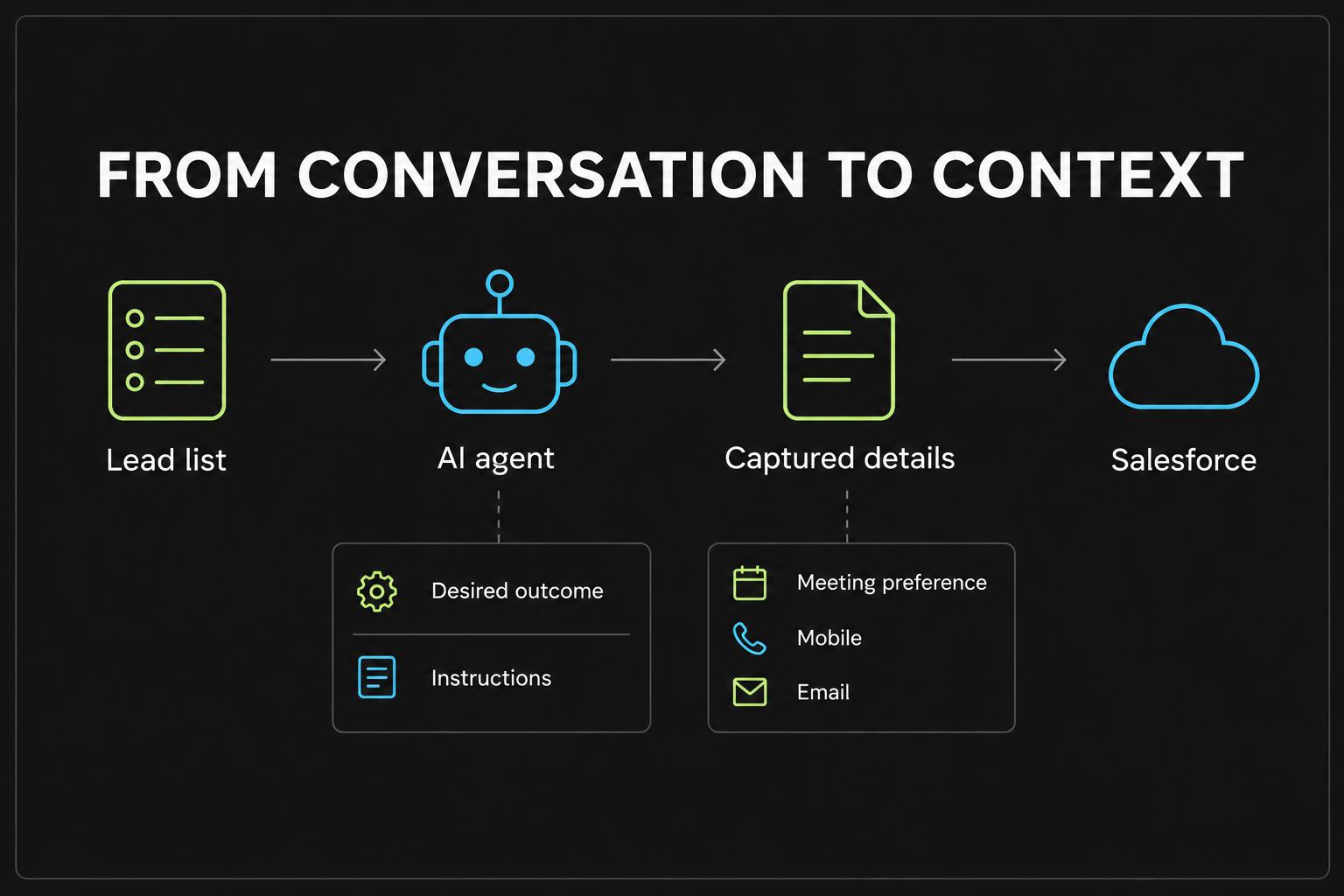
Earn the meeting before collecting the details
Build an agent around a focused discovery outcome, not a calendar claim. Establish the reason for a human conversation and check whether the prospect wants to continue. Only then gather the follow-up information. A polite decline or uncertain answer should not turn into a fictional booking.
Text or email—the prospect chooses
When a meeting is agreed in principle, the agent asks which confirmation method the prospect prefers. It collects one item at a time rather than asking for a number, email and permission in a single breath. If they decline both methods, the agent respects the choice without pressuring them.
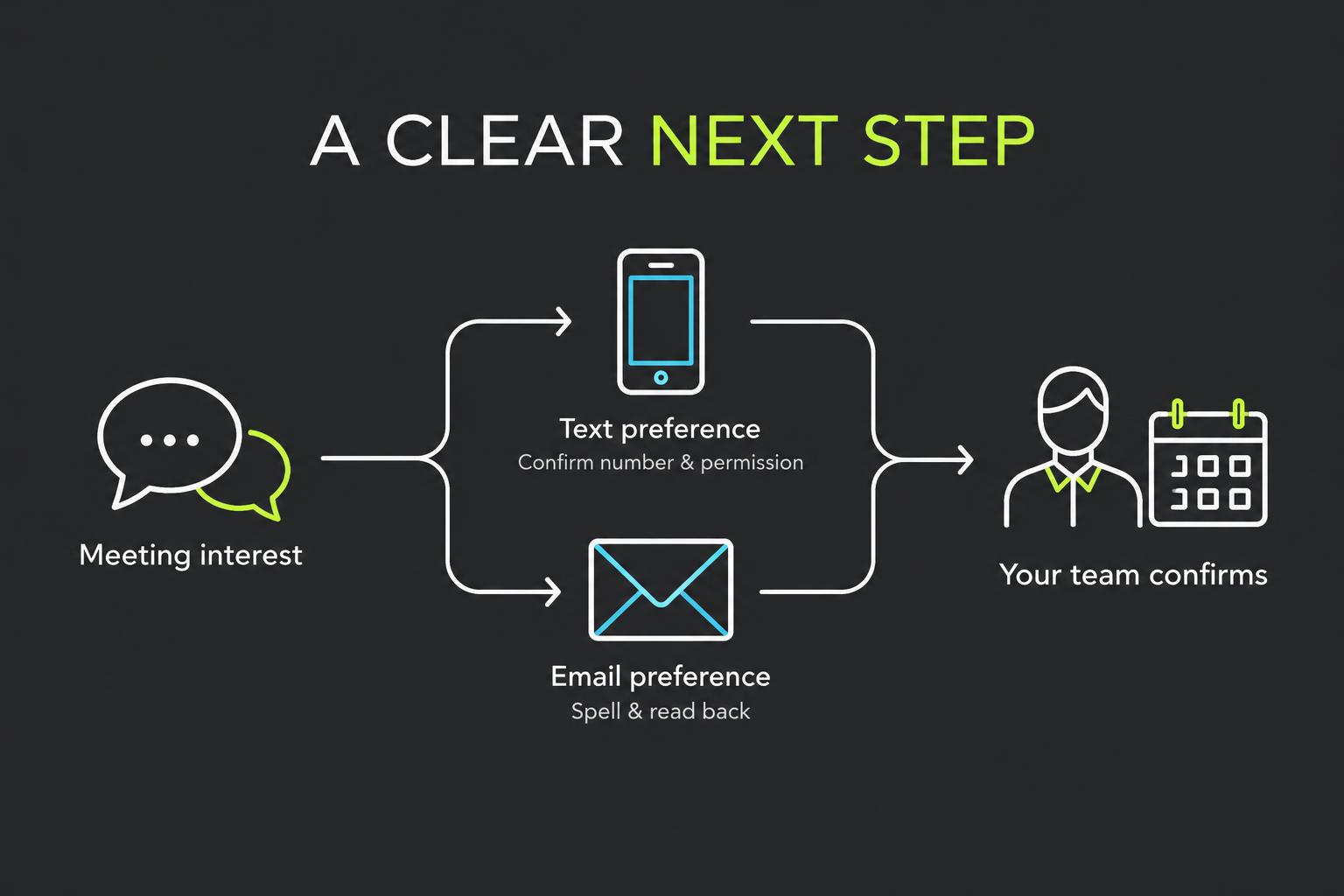
Contact details worth checking
Small capture errors can make follow-up difficult. The agent asks the prospect to spell an email address and reads it back, or confirms the mobile number and separately requests permission to text.
- Confirmation method: text or email
- Confirmed mobile number and explicit texting permission when applicable
- Spelled and read-back email address
- Stated meeting interest and any preferred timing captured in your configured fields
The prospect who is interested but rushing
Example scenario: a buyer agrees to speak with a rep but cannot stay on the line. The agent captures that email is preferred, verifies the address and records the stated timing preference. The rep reviews the call, checks availability and sends the invitation. The agent never says an invitation has been sent when it has only collected the details.
Bring in a person when the prospect asks
Configure a live transfer number so the agent can attempt a handoff to your team when a prospect requests a live person. That person can confirm scheduling details or answer questions outside the agent's scope. If the destination does not answer, Revenue Relay explains that rather than implying the meeting is locked in.
Keep the next step connected to the Lead
Add confirmation fields to the agent's data collection and map them to approved Salesforce Lead fields. Review the summary and extracted answers before following up. Your team owns the calendar invitation, actual confirmation message and the consent record needed for any later outreach.
Illustrative scenario. Revenue Relay does not check calendar availability, book meetings or send texts and emails automatically. Spoken texting permission is not automatically persisted to the consent ledger.